 Highball
Highball › Flight Simulator 2024 on Apple silicon: from a crash at frame 41 to a take-off at Gibraltar
Flight Simulator 2024 on Apple silicon: from a crash at frame 41 to a take-off at Gibraltar
Microsoft Flight Simulator 2024 now runs on Apple silicon Macs through Highball. On a base M4 it boots, signs in, plays its videos, loads Gibraltar and flies, at about 22 fps parked and 19 on the take-off roll with the Medium preset and FSR Balanced. When this work began eleven days ago, it did not start at all. This post goes through what was in the way and how each piece was fixed, layer by layer, and ends with this week's work on stutter. It is long. If you only want to try the game, the steps are near the end.
Where it started
The first report came from Michael Liendo in August, in highball-db#6. Highball's engines run Windows code through Rosetta and Direct3D 12 through Apple's D3DMetal, and on them the game stopped right away.
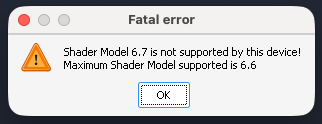
D3DMetal answered Shader Model 6.6 at the time, and the game asks for 6.7. A small probe showed that D3DMetal does run Shader Model 6.7 code, except four operations, and the game's 18,031 shaders use only one of those four, in 77 pixel shaders. So in a test build the shader model query answered 6.7. The game then created its Direct3D 12 device, drew about 40 frames that never reached the screen, and quit 15 to 20 seconds after launch with a crash report that said "FiberError".
With vkd3d-proton in place of D3DMetal, still under Rosetta, it ended the same way, at frame 41. Michael's own vkd3d-proton setup had also died during the boot. So the graphics layer was not the wall.
A second route
A few days earlier I had started a second engine line, for longer-term reasons, that does not use Rosetta at all. Wine is compiled for arm64, and the game's x86-64 code is translated by FEX, the open source emulator, in ARM64EC mode, the way Windows on Arm runs x86 programs. Running Wine natively on Apple silicon needs a few things macOS provides from version 26.5, among them a way to give a process 4 KB memory pages and per-thread memory ordering that matches x86. Brendan Shanks of CodeWeavers had listed those pieces on the Wine mailing list, which saved a lot of searching.
On that route it took several fixes to get the game as far as before. Steam's web pages needed a font engine and a fix for drawing into a window owned by another process. Direct3D 12 needed vkd3d-proton running on MoltenVK, which has no null descriptors, so vkd3d-proton got a fallback that uses dummy resources. Then the game died on page size. macOS on Apple silicon uses 16 KB pages, and the game counts on a 4 KB guard page faulting when it walks past the end of an area. Inside a 16 KB page that fault never comes, and the game went 529 faults deep before its stack overflowed. Every Wine process now asks macOS for 4 KB pages. After that the game reached the same point as under Rosetta, and the same FiberError.
Teaching the emulator more of x86-64 Windows
When two very different translators fail at the same place, the cause is more likely in what both leave out than in either one. A CPU probe listed the places where Rosetta and FEX behave differently from an x86-64 processor as Windows programs see it: floating-point exceptions, parts of the x87 state, what a thread context carries, debug registers.
So the next step was a set of small test programs for those behaviors, run first on real x86-64 Windows (Windows Server 2022 and 2025 on GitHub's runners) to get the expected answers, then on the engine. FEX and Wine got patches until the answers matched: floating-point exceptions that trap as they do on Windows, divide errors, the x87 state, everything a thread context carries, string instructions that resume where a fault stopped them, and the x86 debug registers. The context test went from 313 matching answers and 149 wrong ones to 546 and 0, the same as Windows.
On 11 October the first run with all of this went past the point where the game always died. There was no FiberError, and it drew 1,971 frames in 12 minutes. I never bisected which change did it, so the honest answer today is that the game started working once the engine behaved more like x86-64 Windows.
Two other fixes in that layer matter for every game on the line. FEX turned on Apple's hardware memory ordering only for the first thread of a process, but on macOS that switch is per thread, so every other thread ran x86 code with Arm's weaker ordering. A message-passing test counted up to 2.8 million reorderings per pair of threads before the fix, and none after. And creating a thread took seconds in a large process, because Wine looked for free memory 64 KB at a time through the host's mappings. With that fixed, the first boot video appeared after 38 seconds instead of 13 minutes.
Getting pictures on screen
The game's first screens are videos, which on Windows go through Media Foundation, and Wine decodes those with GStreamer, now part of the engine. The frames then have to cross from Direct3D 11, where the decoder writes them, to Direct3D 12, where the game draws them. On Linux that goes through shared memory file descriptors, which Metal does not have, so Wine and MoltenVK now share those frames as Metal objects. Two more bugs turned up on the way. Stripes and wrong colors came from the color conversion in Wine's Arm build of FFmpeg, and magenta tiles from compressed textures written and read on two different queues.
The worst problem was that the GPU hung at every screen transition. Metal's shader validation found it. MoltenVK's own helper commands for clears and copies replaced the descriptor tables that later draws still used, so those draws read their resources from a 160-byte buffer holding a clear color, 167,048 validation reports in one run. With that fixed, the game reached its main menu on the evening of 11 October.
The next day brought the first world, the Cessna on runway 27 at Gibraltar, and a first take-off. Then came a list of things drawn wrong, each with its own cause.
- Holes and stretched faces in the ground. The game reads texture arrays through plain 2D texture declarations, which PC GPUs accept and Metal does not. A MoltenVK switch, set for this game, makes such textures one-layer arrays.
- Metal "Internal Error" command buffers, 82 to 137 in a flight, with noise in the cockpit screens and blue slabs on the ground. Some effects are drawn in render passes with no attachments, sized at the device maximum of 16,384 by 16,384 pixels and 2,048 layers, and Apple GPUs have a lower limit for that kind of pass. Lowering the layer count to stay within it took the failures to zero, and the artifacts went with them.
- Shaders that failed to compile, about 22,000 failed attempts in a run, down to a handful after fixes in SPIRV-Cross and vkd3d-proton.
- One to two second freezes in flight. A 4K image the game copies every frame was stored with Metal's lossless compression, and that copy hung the GPU. With compression off for this game there were no hangs in four flights, against nine in four flights before.
Memory
The game kept only 102 MB of textures on the GPU because it believed the process used 609 GB of memory. Wine on macOS reported the process's virtual size as its page file usage, and an x86-64 process under FEX reserves hundreds of gigabytes of address space. With the physical footprint reported instead, the game keeps about 1.8 GB of textures. At the Ultra preset the opposite happened. The game asked for 24.6 GB of GPU memory and froze the Mac's GPU. Highball's recipe for the game now caps the GPU memory budget it sees at 37.5% of the Mac's memory, and Medium is the preset to use. In a 65-minute session the whole game took 25 to 27 GB.
Loading
Every start used to take about 9 minutes to the start screen, because MoltenVK converted the same 2,566 shaders from SPIR-V to Metal at each launch. MoltenVK now keeps those conversions on disk, and each program gets its own Metal shader cache, so a later start converts 2 shaders instead of 2,566. In this week's flights the game took about 7 minutes to the start screen and 13 to the cockpit. Close to 5 of those minutes are the game unpacking its packages on one thread, under emulation, and that part is left to the emulator's speed for now.
Signing in
The game asked for the Xbox sign-in again at every launch, then complained that the account was in use on another device. When a program lists its saved credentials, Wine on macOS also asks the Keychain, and when the Keychain had no match the whole call failed, so the game never found the device key it had saved. The same fix had been made for Forza Horizon 6 on Highball's other engines a week earlier, and now the game goes straight to "Welcome back". It also needs Steam online while it runs, because it logs in to its online services with a Steam ticket.
Stutter
By 18 October the game flew, but it stuttered. Parked on the runway, about 59 frames in every two minutes took longer than 100 ms. At around 20 fps a normal frame takes 50 ms, so those are hitches you can see.
FEX keeps the code it translates, and when a program writes into memory that holds translated code, FEX has to notice and translate that code again. It does that by write-protecting the pages behind its translations. A write then faults, and FEX throws away that page's translations and lets the write through. Flight Simulator 2024 rewrites small pieces of its own code about 220 times a second, in memory that is readable, writable and executable at once and also holds the rest of its code. Counters added to FEX showed the cost. In the seconds that held a frame over 100 ms, the game's main thread spent 230 to 360 ms of the second translating code.
Two measurements pointed at the fix. About 36% of the writes that threw translations away stored the bytes that were already there. And many blocks came back byte for byte after a rewrite, so the same code was translated over and over. Engine r5 adds four switches to FEX, each off unless set, and Highball's recipe for the game turns them on for this game only.
- A store that writes the bytes already in memory is stepped over, and the page keeps its translations.
- For five seconds after a write fault on a page, code starting on that page is translated in small units of at most 64 instructions. FEX normally builds large units that follow branches, and on a page that was just rewritten that meant translating about four times more than ever ran. My first try capped every unit in that kind of memory, and the frame rate fell by 24%, because the game's own code lives there too.
- A translation a write throws away is kept with a hash of its bytes, and mapped back when the same bytes return.
- FEX's global locks are out of the memory calls that cannot touch translated code. On its own this cut the waits for the compile lock by 38% and did not move the stutter at all, which told me the long frames were translation work, not waiting.
With all four, the code translated from that memory fell from about 300,000 instructions a second to 20,000 to 50,000. Every flight below is the same scripted one: the Steam version, a Cessna 172 on runway 27 at Gibraltar, Medium with FSR Balanced in a 1920x931 window, daylight, with three two-minute parks and three one-minute take-off rolls. The time of every frame the game presents is logged.
| r4 | r5 | |
|---|---|---|
| Parked, frames over 100 ms per 2 minutes | 59 | 5 |
| Parked, frames over 250 ms per 2 minutes | 9.3 | 0.5 |
| Parked, 99th percentile frame time | 160 ms | 71 ms |
| Parked, average frame rate | 19.0 fps | 22.5 fps |
| Take-off roll, frames over 100 ms per minute | 55 | 23 |
| Take-off roll, frames over 250 ms per minute | 7.5 | 2.2 |
| Take-off roll, 99th percentile frame time | 220 ms | 122 ms |
| Take-off roll, average frame rate | 15.7 fps | 19.0 fps |
That is four flights on r5 against two on r4. Here are two minutes parked from each, the window closest to its revision's average rather than the best one, and then every window of every flight.
Every r5 park had fewer long frames than every r4 park. The take-off rolls vary more, and the roughest r5 roll, the first take-off after loading in one flight, was as rough as an r4 roll. A permutation test over the windows puts the chance of differences this large arising by luck under 0.1% for parks and for rolls, with the caveat that the windows of one flight are not fully independent. The frame rate rose too, since the main thread spends less of each second translating. Lower graphics settings did not raise it in an earlier sweep, so the limit seems to be the game's main thread under emulation more than the GPU.
These flights ran with my test instrumentation in place, the same for both revisions. A check flight on the released engine, set up the way Highball sets it up and without that instrumentation, did a little better, with 24.2 fps parked and 20.5 on the roll, with 5.3 and 4.3 frames over 100 ms per window. That is one flight, so take it as a check rather than a new number.
Where it stands
On the M4, 31 of 33 starts in a row reached the start screen, one session ran 8 in-game restarts over 65 minutes without a crash, and none of the four r5 flights crashed. What is still rough:
- Take-offs still hitch, less than before. Some hitches line up with the game's own pop-ups, like the Piloting Assistance panel at lift-off, and in those seconds there was little translation going on, so that part looks like the game's own UI work.
- About 22 fps parked at Medium with FSR Balanced on a base M4.
- Now and then a start crashes while the world loads, about one in sixteen to forty in earlier counts. Starting again works.
- Half-second GPU stalls on the terrain, zero to two a flight.
- Some lights and line effects are missing, because Metal has no geometry shaders.
- Far map tiles on the Free Flight page stay coarse, and dense cities like New York need more GPU memory than a 32 GB Mac has at Medium.
- Other Macs, long flights, controllers and yokes, add-ons and the Microsoft Store version are not tested yet.
Trying it
- Install Highball 0.10.20 or later from gethighball.com, or use Check for Updates in the Highball menu if you have it already.
- Set up Steam in Highball and install Microsoft Flight Simulator 2024 from your library, if it is not installed there yet.
- Press Play, choose Use the preview engine, then New environment. Highball downloads the engine (about 420 MB) and makes an environment with a Steam of its own, which you sign in to once. The game you installed comes along as an APFS clone, with no second download and no extra disk space.
- The first start takes a while, about 13 minutes to the cockpit. The game then asks you to sign in with a Microsoft account and link it to your Steam account, a link the game says is permanent. Turning motion blur off in the game's graphics settings helps at these frame rates.
If you already set the game up on an earlier preview revision, Play offers once to move that environment to r5. The engine needs macOS 26.5 or later, and it was tested on macOS 27.0. The tested configuration is a Mac with 32 GB of memory, and smaller Macs have not been tested enough to say how they do. Reports from any Mac are welcome on the game's page.
Credits and code
None of this would exist without the projects that do the real work: Wine, FEX, vkd3d-proton, DXVK, MoltenVK, SPIRV-Cross and GStreamer, with Mesa's work on Apple GPUs behind one of the MoltenVK fixes. Michael Liendo's teardown in highball-db#6 was the starting point, and Brendan Shanks's notes on Wine for arm64 macOS were the map for the engine.
Highball's changes are patches on top of those projects, in the engine repository: 25 for Wine, 23 for FEX, 16 for MoltenVK, 4 for SPIRV-Cross, 7 for vkd3d-proton and 3 for DXVK, each with a note on what it fixes and how it was measured. The game's settings live in its recipe in highball-db.