 Highball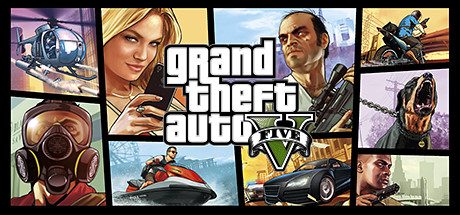
Which renderer to use
Highball can run each game through three different Direct3D translation layers. This is what the database knows for this title — empty rows are open questions, not failures.
| Renderer | Verdict | Evidence |
|---|---|---|
| DXVKDirect3D 9-11 over Vulkan | Untested | no report yet — send one |
| DXMTDirect3D 11 over Metal | Recommended | 1 report |
| D3DMetalApple's Game Porting Toolkit | Untested | no report yet — send one |
last confirmed 2026-10-05 · engine x64-sikarugir10.0_6-r5 · macOS 27.0. Dated runs record the engine build and, where the reporter gave it, the macOS version.
Notes
Story mode plays. Needs engine x64-crossover26.3-r5 or later and the DXMT renderer. Launch it from Steam: Steam starts the Rockstar Games Launcher, which signs in and hands off to the game. The row passes -nobattleye on the Steam command line, the story-mode path: without it a fresh launcher profile starts GTA5_BE.exe and BattlEye's installer asks for its kernel driver, which cannot run under Wine (seen on an M4, 2026-10-03). Checked again 2026-10-03 on an M4, macOS 27.0, engine x64-crossover26.3-r16 (the Wine 11 engine with the fixed DXMT), DXMT: the launcher signed in through the Steam entitlement and the game reached its display calibration screen five minutes after Play, nothing played past it that run.
Both of the things that used to stop this game are fixed. The launcher's sign-in window is a Chromium surface whose GPU process draws into another process's window, which rendered nothing until engine patch 0007 (cross-process child swapchains) plus DXMT_ALLOW_CROSS_PROCESS_SWAPCHAIN=1, both of which the rockstar recipe applies. And the sign-in itself was refused for reasons that looked like a network or account problem but were the Mac's clock: with the time zone set automatically, it signs in.
GTA Online cannot work. BattlEye ships with the game (a BattlEye directory and GTA5_BE.exe) and is kernel-level anti-cheat, so online is out under Wine on any tool. Story mode is the whole claim here.
Community reports of about 120 fps on an M1 Pro were measured on CrossOver's own tree, often with frame generation on. Our range overlaps at the top but the low end is 60, and the open world has not been measured at all, so treat the community figure as an upper bound rather than an expectation.
A player report on 2026-09-24 rates it perfect after 36 minutes on an M1 with macOS 27.0, on the Wine 10 engine x64-sikarugir10.0_6-r5 rather than the Wine 11 one this entry says the launcher needs. That has not been checked here. One possible reason is a launcher that was already signed in, since the Wine 10 engine's problem was drawing the sign-in window, but that is a guess. Re-checked on 2026-10-05 on an M4 with the Wine 11 engine r15 and -nobattleye: launcher passed, the game opens on its first-run display calibration screen. On a base M1, udance4ever measured about 25 fps in the benchmark with settings.xml set to full screen at RefreshRate 30, and about 50 fps with RefreshRate 0 and Windowed 2, borderless (highball-db#72, 2026-10-09).
The Epic copy starts through the Rockstar launcher since Highball 0.10.15, which recognizes it as GTA V and starts it the way the launcher needs for an Epic license. Two players play it that way, one with the game's benchmark at 51 to 62 fps at 1080p on a base M1 (highball-db#415, highball#309). The other, on an M4, sees the frame rate swing up and down (highball-db#463).
Two things a player on an M1 MacBook Air found. A graphics change that restarts the renderer in game (Texture Quality, or Screen Type set to Fullscreen) leaves only the top-left quarter of the picture drawn until the game restarts, so change those settings with the game closed or restart it after. And the first load into story mode can stall for many minutes while the game window is not in front, because the game pauses itself without focus, so keep it in front or turn Pause Game On Focus Loss off. A DualSense or other PlayStation controller does not work in the game's menus, while an Xbox controller or a pad in XInput mode does (highball-db#72, #415). The M4 player's frame rate swings show in the Metal HUD's graph while play feels smooth at 50 to 60 fps in 1080p borderless. Exclusive fullscreen did not capture the mouse for them, and vehicle smoke showed purple lines on Very High that went away on High (highball-db#463). A player on an M2 Max sometimes sees the lighting turn far too bright, which a restart of the game fixes (highball-db#452).
Known issues
The Rockstar launcher shows a blank or black sign-in window and the game never starts.
What helps use engine x64-crossover26.3-r5 or later with the DXMT renderer (the recipe asks for r15, where the launcher installer works too), and apply the rockstar recipe, which sets DXMT_ALLOW_CROSS_PROCESS_SWAPCHAIN=1.
Why the sign-in is a Chromium surface drawn by a separate GPU process into the browser process's window. Wine returned nothing for it until engine patch 0007.
Fixed in x64-crossover26.3-r15
Sign in fails with 'Sorry, we are unable to handle your request at this time' (error 1.000.7).
What helps System Settings, General, Date & Time, with the time zone set automatically using your location.
Why the Mac's clock being wrong, not the network or the account. Rockstar rejects the request.
The BattlEye Launcher window asks to install BattlEye (Install / Cancel) and the game never starts (seen on an M4, Wine 11 engine r16, 2026-10-03)
What helps start the game with -nobattleye, which Highball's Play passes for this game (from the next version after 0.10.4). By hand, put -nobattleye in Steam's launch options for the game, or turn BattlEye off for GTA V in the Rockstar launcher's settings. Story mode only either way
Why a fresh Rockstar launcher profile starts the game through GTA5_BE.exe, BattlEye's wrapper, and BattlEye's kernel driver cannot run under Wine
GTA Online will not connect.
What helps none. Story mode only.
Why BattlEye, a kernel-level anti-cheat, which cannot run under Wine.
A DualSense or other PlayStation controller does not work in the game, while it works in other games in the same environment (reported on an M1, highball-db#72, highball-db#415)
What helps use an Xbox controller or a pad in XInput mode. For the Steam copy, starting the game from Steam with Steam Input on also works, with the game added to Steam as a non-Steam game and -nobattleye in its launch options (highball-db#72, 2026-10-07)
Why not investigated. The game reads controllers through XInput and DirectInput. The player traced it to the DirectInput side, since an 8BitDo pad in XInput mode works (highball-db#415), and the only HID error in the first log names an Apple device (vendor 004c), not the DualSense
The game starts at 800x600 in a window with low settings, or goes back to it after you set a resolution
What helps Set the resolution and quality once in the game's Graphics settings, they stay from then on. Don't copy settings.xml from another tool, or set the resolution again after doing it. Presenting an AMD card through DXMT_CONFIG made it worse in a test: the resolution list then held only the window size.
Why GTA V doesn't know the Apple GPU that DXMT presents, so on its first start it picks its lowest preset. It also resets to that preset whenever the graphics card it sees changes, for example with a settings.xml copied from Whisky or CrossOver, where D3DMetal presents an AMD card (udance4ever, highball-db#72).
After a graphics change that restarts the renderer in game (Texture Quality, or Screen Type set to Fullscreen), only the top-left quarter of the picture shows, Retina on or off
What helps restart the game, which then draws correctly with the same settings, or change those settings with the game closed in Documents/Rockstar Games/GTA V/settings.xml
Why not investigated. Reported by a player on Discord on an M1 MacBook Air (2026-10-11)
The first load into story mode stalls for many minutes (about 18 in one report) while the game window is not in front
What helps keep the game in front during the load, or turn Pause Game On Focus Loss off
Why the game pauses itself while it does not have focus (Pause Game On Focus Loss, PauseOnFocusLoss in settings.xml). Reported by a player on Discord on an M1 MacBook Air (2026-10-11)
The lighting turns far too bright during play (M2 Max, highball-db#452)
What helps restart the game; the player also cleared it by turning a setting off in the game's menu
Why not diagnosed
One-click setup
Highball ships a recipe for Grand Theft Auto V (Legacy): open the game in your Library and apply it. The recipe carries the tested renderer and any per-game fixes, so you don't have to reproduce them by hand. Read the recipe.
Provenance
played here on the Steam copy, M1 Pro, macOS 26.6.2, engine x64-crossover26.3-r5, 2026-09-09. Also reported 5 of 5 by vancevcs (highball-db#202, 2026-09-24), Apple M1, macOS 27.0, Highball 0.9.32, engine x64-sikarugir10.0_6-r5, DXMT, after 36 minutes, with the Metal HUD on. Checked 2026-10-03 on an M4, macOS 27.0, Highball 0.10.4 build, engine x64-crossover26.3-r16, DXMT: reached the display calibration screen with -nobattleye, not played. The Epic copy reported playing by udance4ever (highball-db#415, 2026-10-12), Apple M1 with 16 GB, Highball 0.10.15, through the Rockstar launcher, the game's benchmark at 51 to 62 fps at 1080p, and by wamachuco (highball#309, 2026-10-12) at 50 to 60 fps on high settings. wamachuco again (highball-db#463, 2026-10-12), the Epic copy on an Apple M4, macOS 27.0.1, Highball 0.10.15, engine x64-crossover26.3-r19, DXMT with the rockstar and grand-theft-auto-v recipes, rated 4 of 5 after 20 minutes, the frame rate swinging. Reported by juanpablorubiosoto (highball-db#452, 2026-10-11), Apple M2 Max, macOS 15.5, Highball 0.10.10, engine x64-crossover26.3-r19, DXMT, rated 3 of 5 after 10 minutes, the lighting turning far too bright until a restart.
Before installing anything, it is worth checking whether the game already ships a native Mac build.
Common questions
Does Grand Theft Auto V (Legacy) work on Mac?
Grand Theft Auto V (Legacy) has no native Mac build, but it is reported to run on Apple Silicon through Highball, a free open-source compatibility layer. Highball has run it on Apple Silicon (last confirmed 2026-10-05 · engine x64-sikarugir10.0_6-r5 · macOS 27.0).
Which renderer should I use for Grand Theft Auto V (Legacy)?
DXMT. Highball can translate Direct3D through DXVK, DXMT or Apple's D3DMetal, and the right choice varies by game. The database records DXMT for Grand Theft Auto V (Legacy), and applying the Grand Theft Auto V (Legacy) recipe sets it for you.
Is there a one-click setup for Grand Theft Auto V (Legacy)?
Yes. Highball ships a recipe for Grand Theft Auto V (Legacy) that sets the tested renderer and any per-game fixes. Open the game in your Library and apply it.
Contribute a result
This page is generated from an open database. If you have run Grand Theft Auto V (Legacy) on Apple Silicon, working or not, a report takes a minute and fills in the empty rows above. Send a report, or read how the data is put together.