 Highball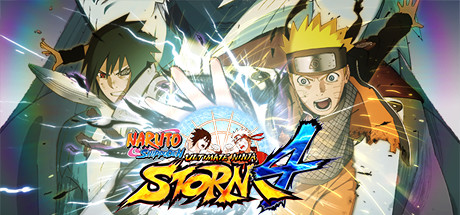
Which renderer to use
Highball can run each game through three different Direct3D translation layers. This is what the database knows for this title — empty rows are open questions, not failures.
| Renderer | Verdict | Evidence |
|---|---|---|
| DXVKDirect3D 9-11 over Vulkan | Does not work | HUD draws, the 3D world is black apart from a few effect sprites, DXVK-Kegworks 1.10.4 log clean (2026-09-10, r2). |
| DXMTDirect3D 11 over Metal | Does not work | movie, title and menus correct; in a fight the frame flashes black with brief flashes of the correct image, 30 fps, 13 ms GPU (2026-09-10, r2). Not playable. |
| D3DMetalApple's Game Porting Toolkit | Recommended | run by Highball on Apple Silicon |
Last confirmed 2026-09-10. That run predates per-report engine and macOS logging, so those are not recorded for it. A newer report would carry both.
Notes
Plays on D3DMetal. Tested 2026-09-10 on an M1 Pro, macOS 26.6.2, engine x64-sikarugir10.0_6-r2: a fight renders and plays correctly at 1920x1080 on D3DMetal, which is what this row now tells Highball to pick. The other two modes do not work for this game and the difference is stark: on DXMT 0.80 the movie, title and menus are fine but in a fight the frame flashes black most of the time with brief moments of the correct image, at a steady 30 fps and 13 ms of GPU; on DXVK 1.10.4 the 2D HUD draws and the 3D world never appears, with a clean log. D3DMetal is Apple's Game Porting Toolkit and is gated on Apple's licence, which Highball asks you to accept the first time a game needs it. Before the first start Steam shows a Bandai Namco licence agreement inside its own window that has to be accepted once. The game is built for a pad and shows pad glyphs: on a keyboard the default mapping is A = L, B = ;, X = K, Y = O, Start = Enter, movement on WASD, so the Press A title screen and the first-run save dialog both want L. Change it in Options > Controls or in config.ini next to the exe. 30 fps is the game's own cap in menus and cinematics.
Provenance
verified locally on Apple Silicon (M1 Pro), engine x64-sikarugir10.0_6-r2, macOS 26.6.2, Highball 0.9.3
Before installing anything, it is worth checking whether the game already ships a native Mac build.
Common questions
Does NARUTO SHIPPUDEN: Ultimate Ninja STORM 4 work on Mac?
NARUTO SHIPPUDEN: Ultimate Ninja STORM 4 has no native Mac build, but it is reported to run on Apple Silicon through Highball, a free open-source compatibility layer. Highball has run it on Apple Silicon (last confirmed 2026-09-10).
Which renderer should I use for NARUTO SHIPPUDEN: Ultimate Ninja STORM 4?
D3DMetal. Highball can translate Direct3D through DXVK, DXMT or Apple's D3DMetal, and the right choice varies by game. The database records D3DMetal for NARUTO SHIPPUDEN: Ultimate Ninja STORM 4. Highball uses it automatically when the game has a row; to set it by hand, open Settings, then Environments.
Contribute a result
This page is generated from an open database. If you have run NARUTO SHIPPUDEN: Ultimate Ninja STORM 4 on Apple Silicon, working or not, a report takes a minute and fills in the empty rows above. Send a report, or read how the data is put together.